Author: Sword of Damocles
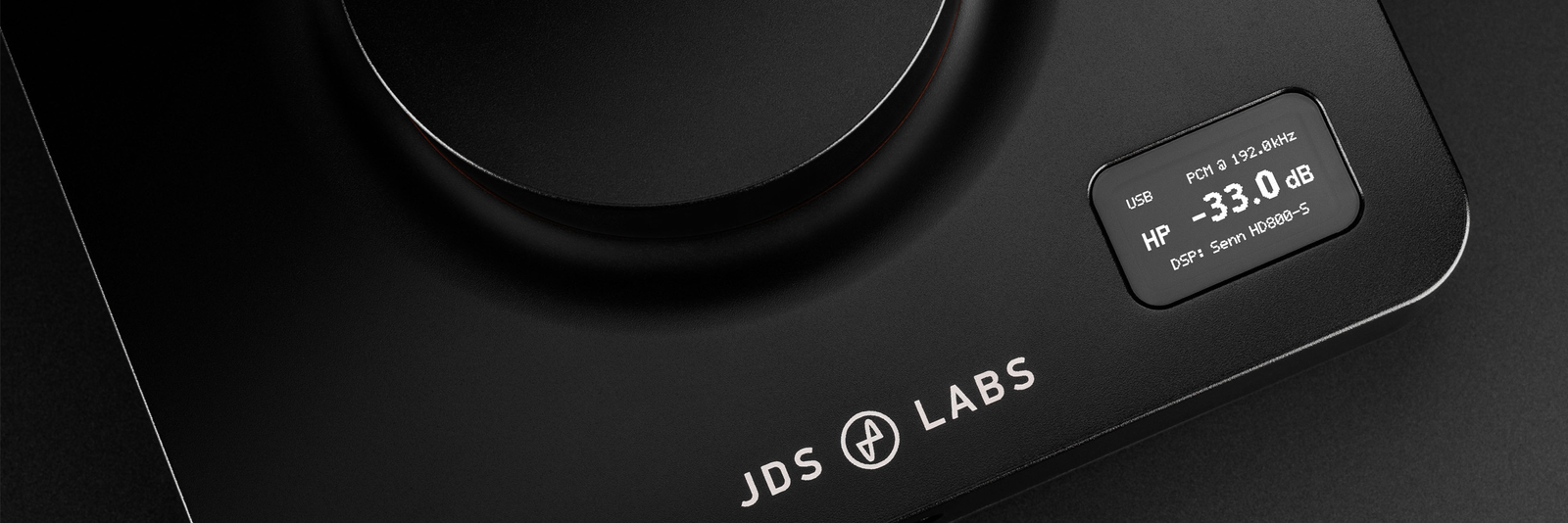
Table of Contents:
Information:
- Released: 2025
- Country of origin: USA
- Price: 549 USD / 669 € (cheapest EU price 3/2026)
- Available in Finland: No
- Type: DAC & preamplifier & equalizer & headphone amplifier
- DAC chip: ESS Sabre ES9039Q2M
- Digital input connections: USB-C and TOSLINK (Optical)
- Sampling rate (USB & Max 2 EQ filters) PCM: 44.1–384 kHz (16–32 bit)
- Sampling rate (USB | 3-12 EQ filters) PCM: 44.1–192 kHz (16–24 bit)
- Sampling rate (USB) DSD: DSD128 (native)
- Sampling rate (Optical) PCM: 44.1–192 kHz (16–24 bit)
- Analog input connections: –
- Analog output connections: RCA
- Headphone connectors: 6.35 mm (changeable upon request to a 4.4 mm connector, which is however unbalanced)
- Automatic Gain level: 1x / 5x
- Headphone amplifier output impedance: <1 ohm
- Headphone amplifier output power: 3.2 W @ 32 ohm | 0.69 W @ 150 ohm | 0.17 W @ 600 ohm
- Features: Web interface with parametric equalizer and EQ database (in addition, adjustable Loudness mode, Crossfeed and Stereo Width), UAC1 mode for game consoles
- Dimensions (W x D x H): 14.7 x 14.7 x 4 cm
- Weight: 0.57 kg
- Included: Power supply and USB-C to USB-A cable (length 1m)
- Warranty: 2 years
Review sample: Self-purchased product
High-quality D/A converters and headphone amplifiers have become more affordable in recent years, and there is usually no longer a big difference between devices with similar technology. Therefore, unlike many other reviewers, I don't bother testing numerous new devices that differ slightly from their predecessors, unless they offer something interesting. Now, however, that is happening.
This time, the one I'm reviewing JDS Labs Element IV -combo device serves as a kind of continuation Luxsin X9:s review, offering many of the same features in a smaller size and more affordably for under 700 euros. Luxman, on the other hand, recently released a slightly stripped-down X8 in the same price range as the Element IV, so competition is intensifying not only among ”dumb” DAC-headphone amplifiers but also among these slightly smarter devices.
JDS Labs is an American company considered a good Western alternative to Chinese device manufacturers. The Americans have been praised for excellent product support and a certain ”no-nonsense attitude” when it comes to device features and marketing. The affordable Atom series devices are well-designed (including measurement results) and sufficient in features for most consumers. The Element series, in turn, falls into a higher price category, emphasizing stylish appearance and smooth usability – most people recognize the device by its large horizontally mounted volume knob. The Element IV I tested shows that the device series has already reached its fourth version. Compared to the previous third model, improvements have occurred in the amplifier's output power and features with the new web user interface.
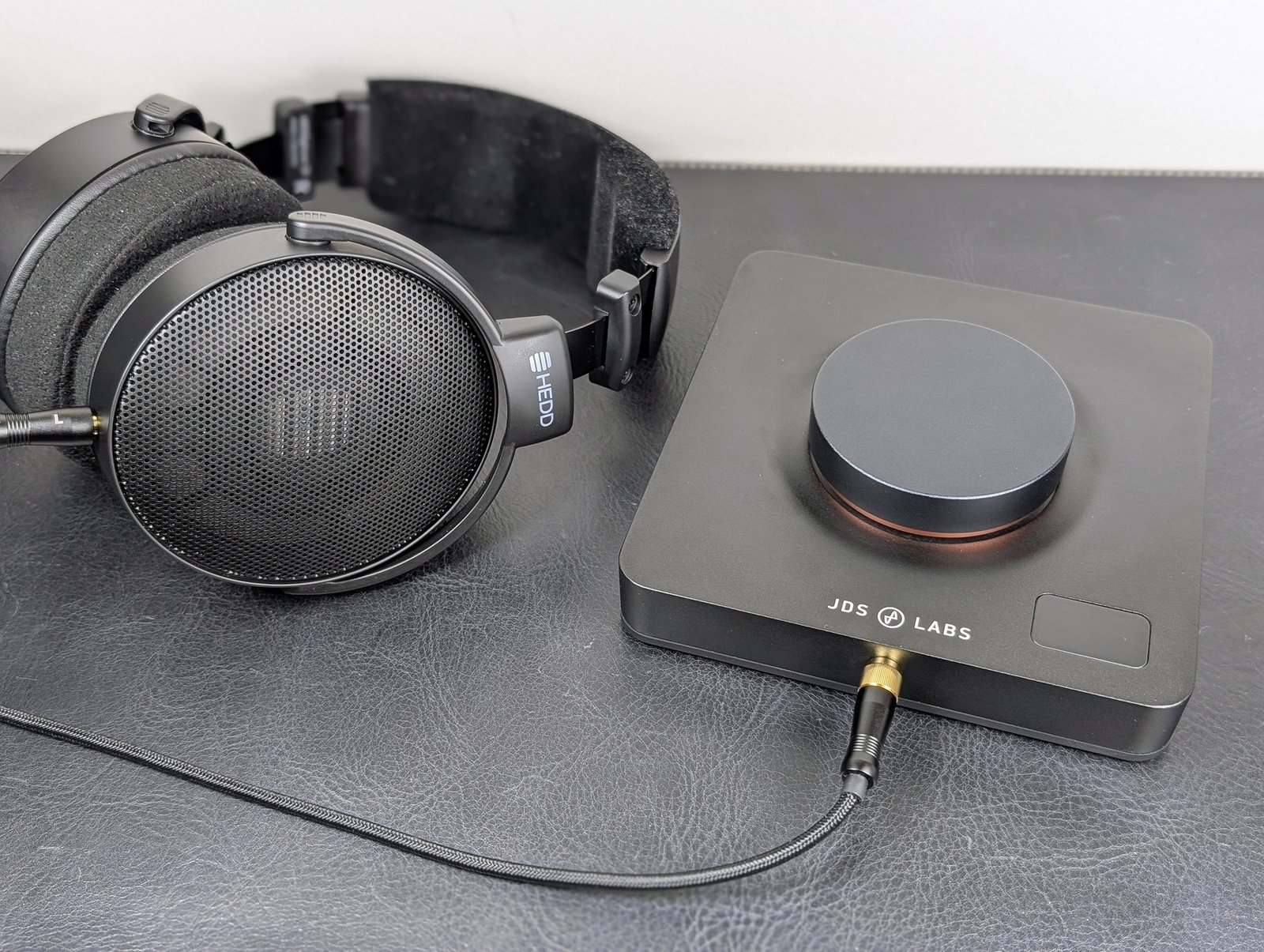
I bought the Element IV for myself from the Italian Level Audio because I needed a good reference device for some of my easily driven (sensitive) headphones. Many new headphone models are also like this, so the device immediately went into active test use Austrian Audio The Arranger and HEDDphone D1:s review. Using the Element IV in general has been so pleasant that I have even started to question the need for many of my other devices.
Structure and connections
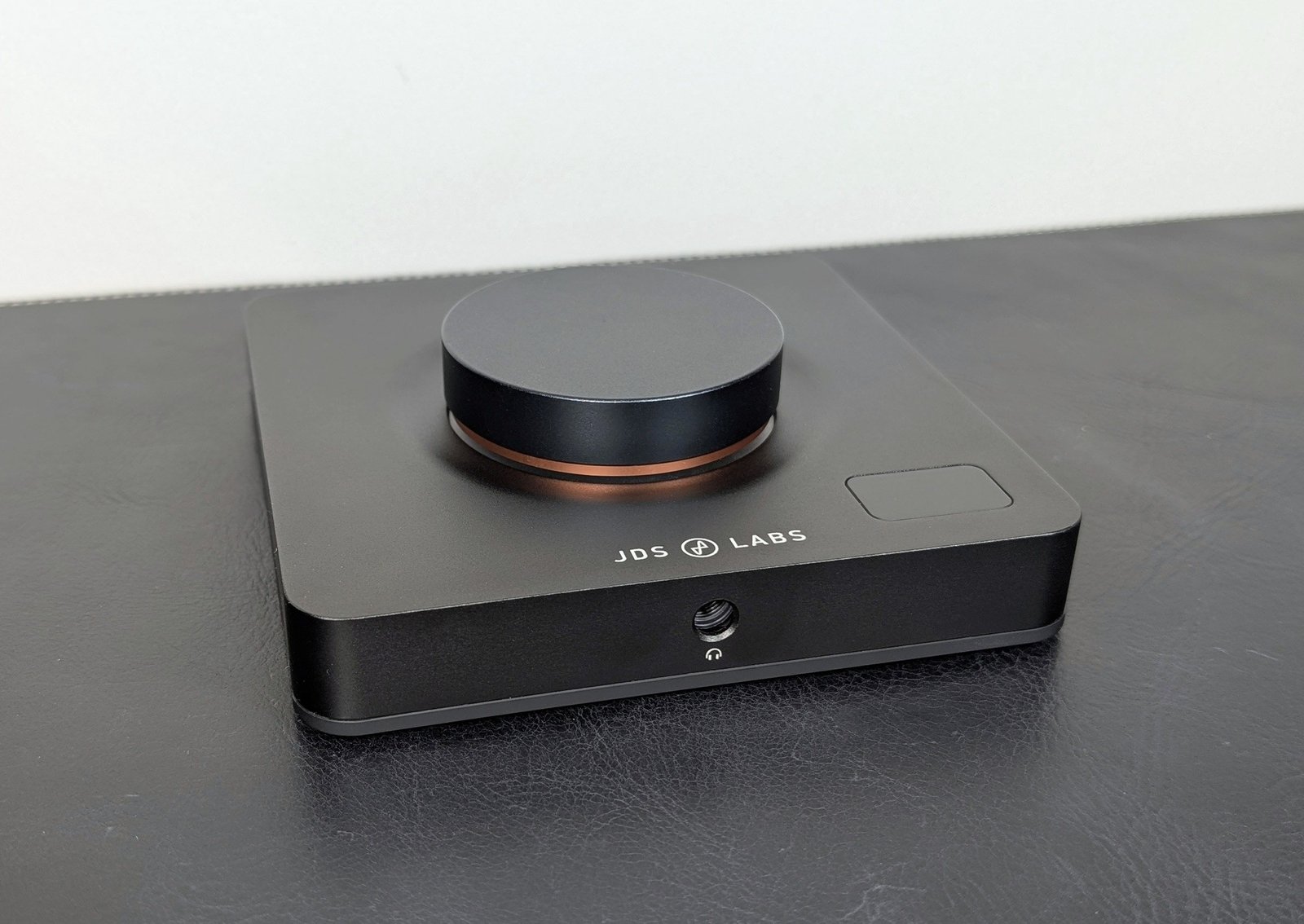
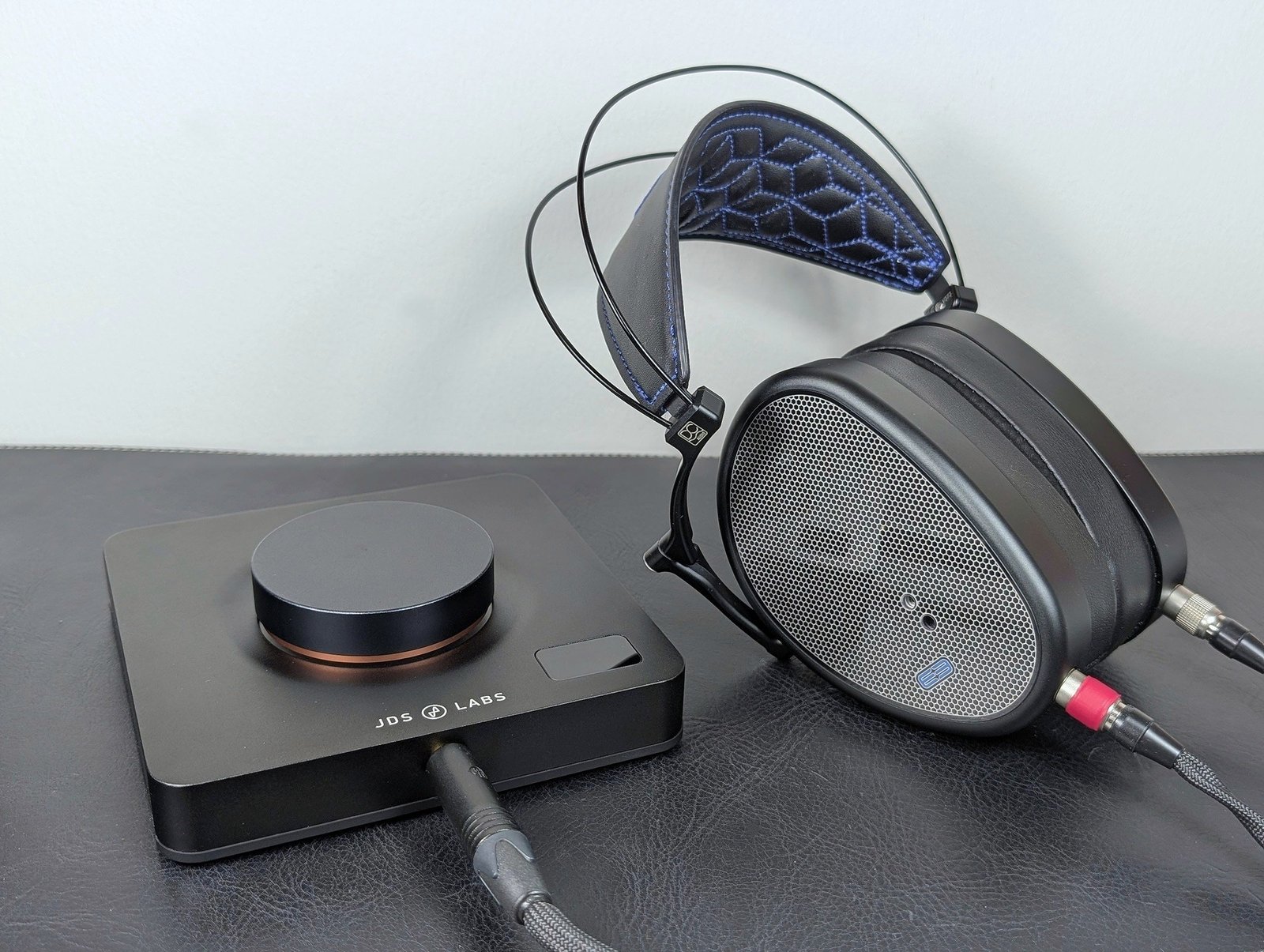
Built into black aluminum casings, the Element IV is a straightforward device: digital audio is input either via a USB connector or an optical Toslink connector, while analog audio is output from the rear RCA connectors or the front 6.35 mm headphone jack. A button located on the rear acts as a selector for analog outputs, so the Element IV would be suitable as a preamplifier or DAC for another amplifier alongside headphone listening. Of course, no remote control is included, so perhaps practical speaker listening is limited to active near-field monitors.
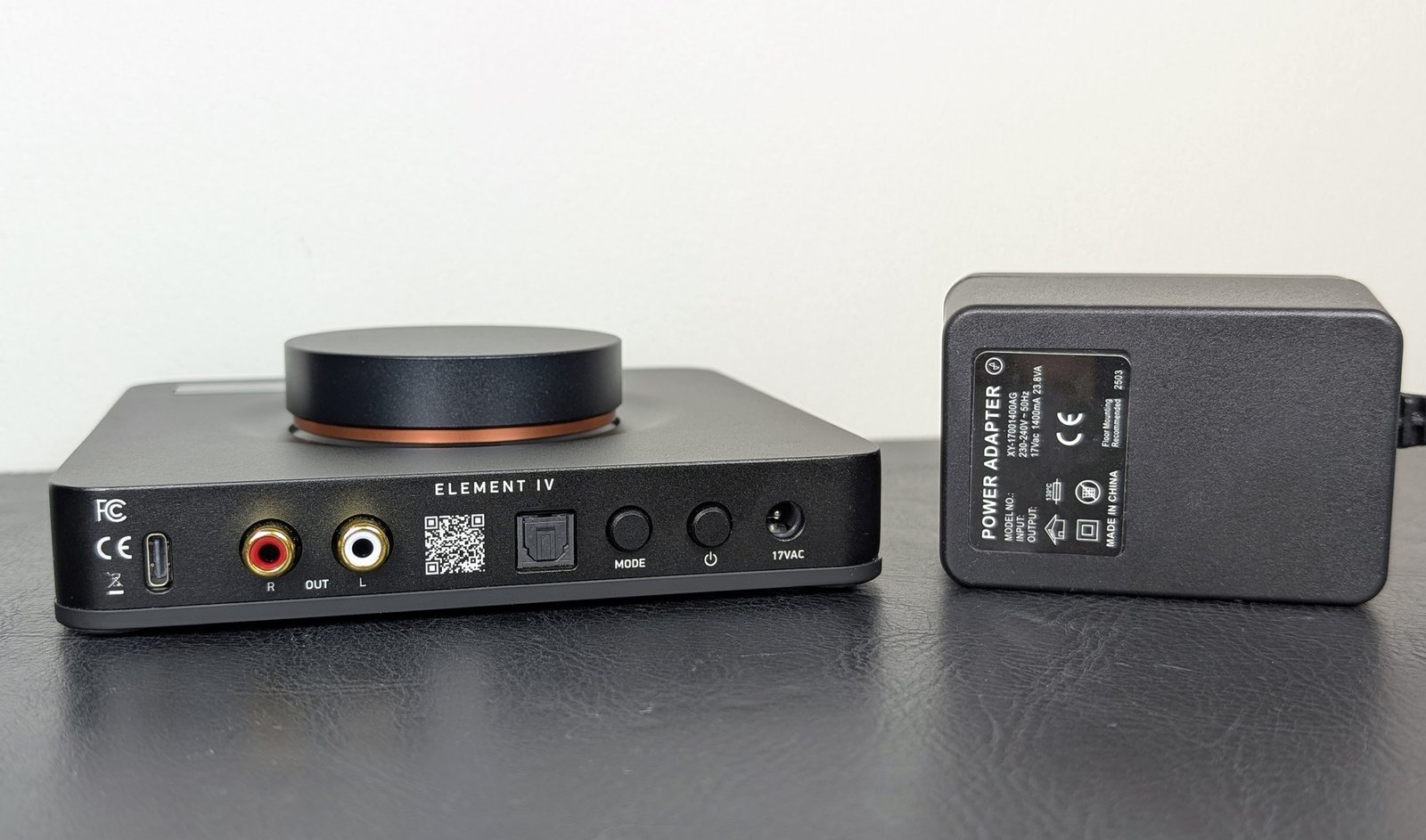
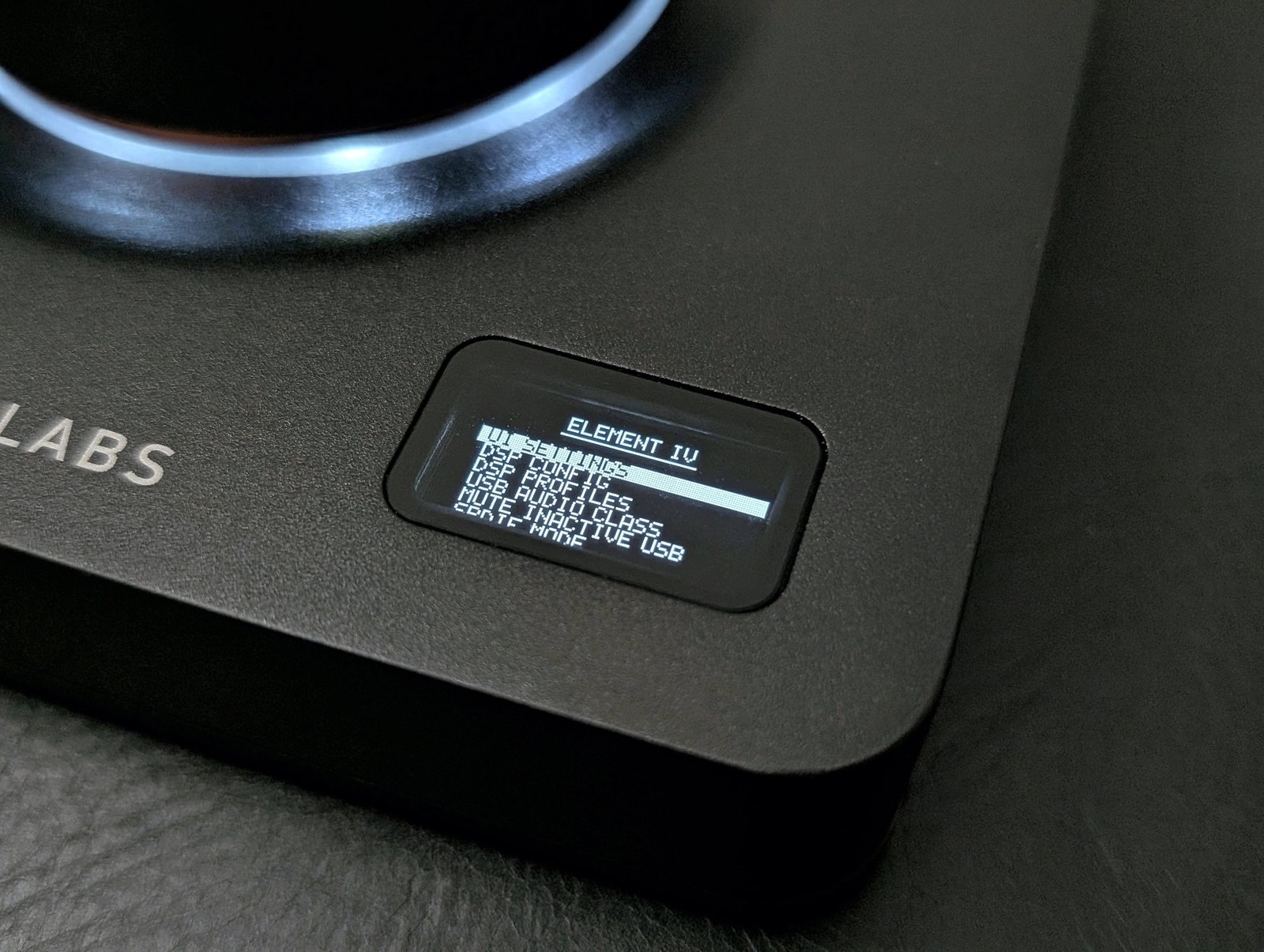
The power button is also somewhat inconveniently located at the back of the device, but otherwise, JDS Labs has focused on the usability of the Element IV. The greatest attention is drawn to the horizontally mounted volume control, which makes the user experience completely different and, in my opinion, more appealing compared to most other devices. The optical knob rotates extremely smoothly and does not wobble or sway at all despite its large size. Pressing the knob downwards activates the mute function (changeable, e.g., to an audio source selector), while a longer press opens the device's settings menu.
The most important thing, volume, adjusts depending on taste, either in 0.5 or 1 decibel increments, with channel balance always being perfect. The user also doesn't need to select the gain level themselves, as Element IV automatically activates its higher gain level when the volume setting reaches from negative values to the positive side (adjustment scale -127.5 – +14 dB). Such automation makes use easy, because during listening, only the volume is adjusted, which in the case of Element IV is precisely the most pleasant aspect.
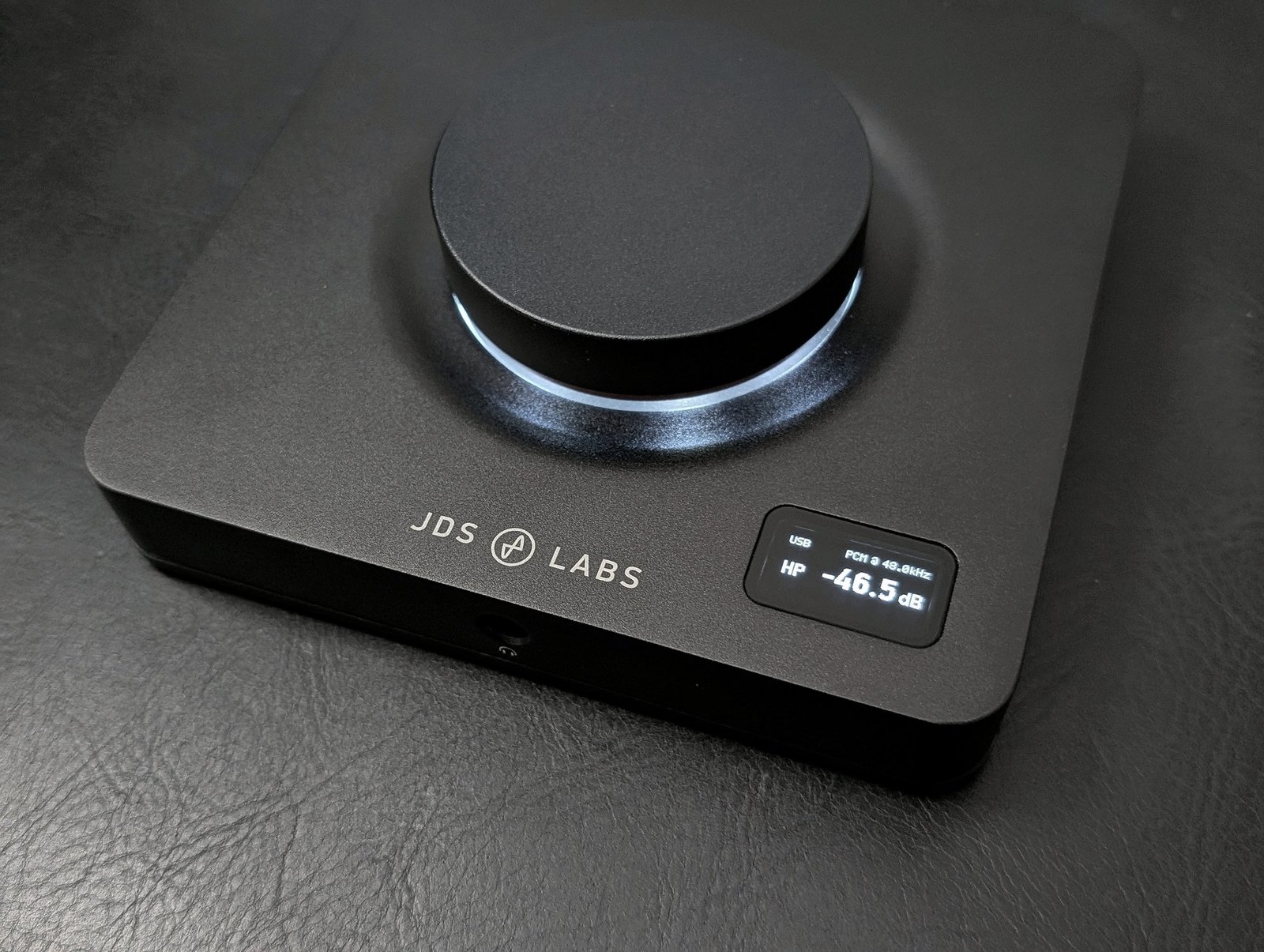
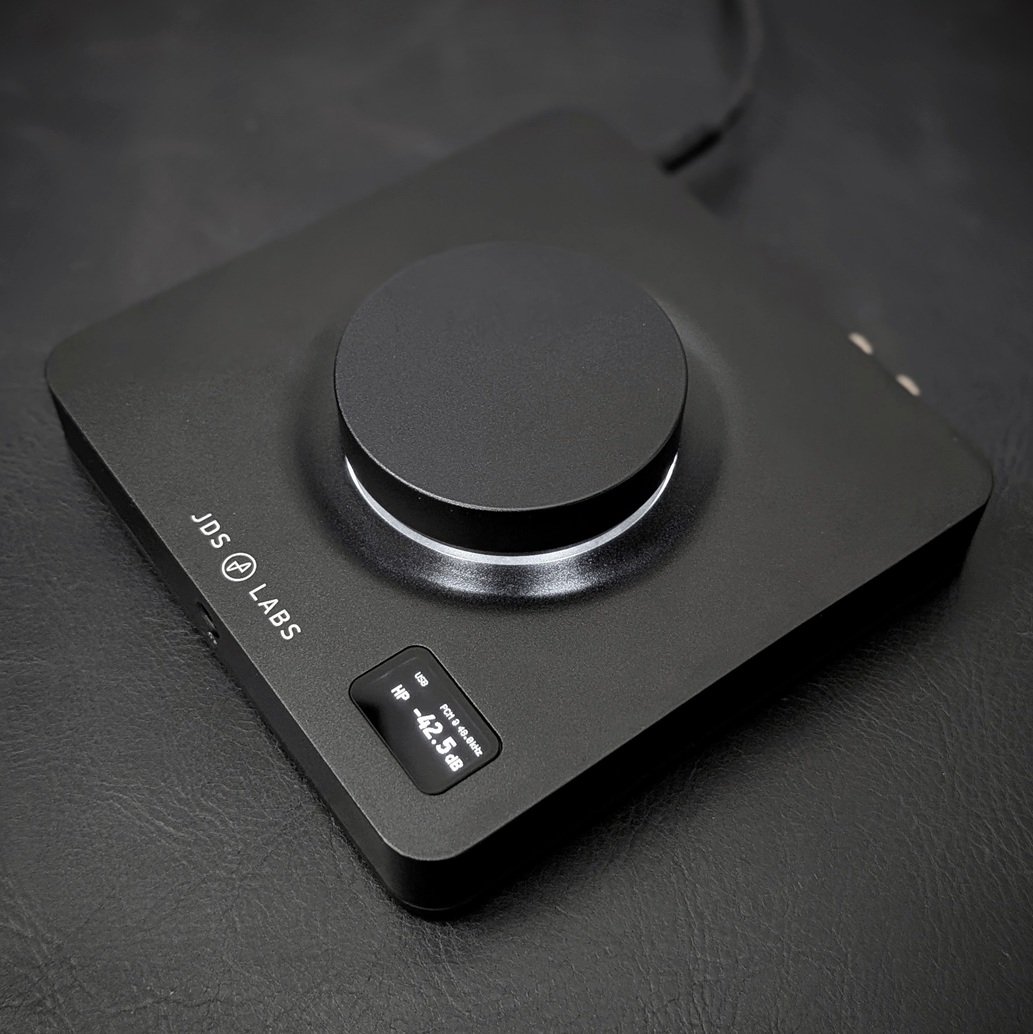
A small OLED display is installed on the top cover of the device to show the volume, the current sampling rate, and possible DSP settings, which I will tell you more about shortly. Although not much information fits on the display and it also points upwards, the wide viewing angle still allows the selected volume setting to be visible from a sufficient distance – especially by choosing a bold font from the settings. Those bothered by extra LEDs can switch off the white LED ring around the volume control, allowing Element IV to be completely darkened during use. The display only comes to life for a few seconds when changing the volume, and even then, the brightness can be lowered.
I haven't mentioned anything about the device's appearance yet, so let's state that it is minimalist and, with its sleek form, stylish. However, the aluminum parts must be wiped regularly, otherwise oil stains from touching become quite visible. The metal casing gets quite warm during prolonged use, but it doesn't burn the hand or feel unpleasant yet. Those wishing for a slightly different look could purchase Element IV with a transparent resin volume knob for an additional 50 dollars. Temporarily, the device was also available as a white special edition, and I've also seen various laser engravings. However, there is nothing to be ashamed of in the basic version.
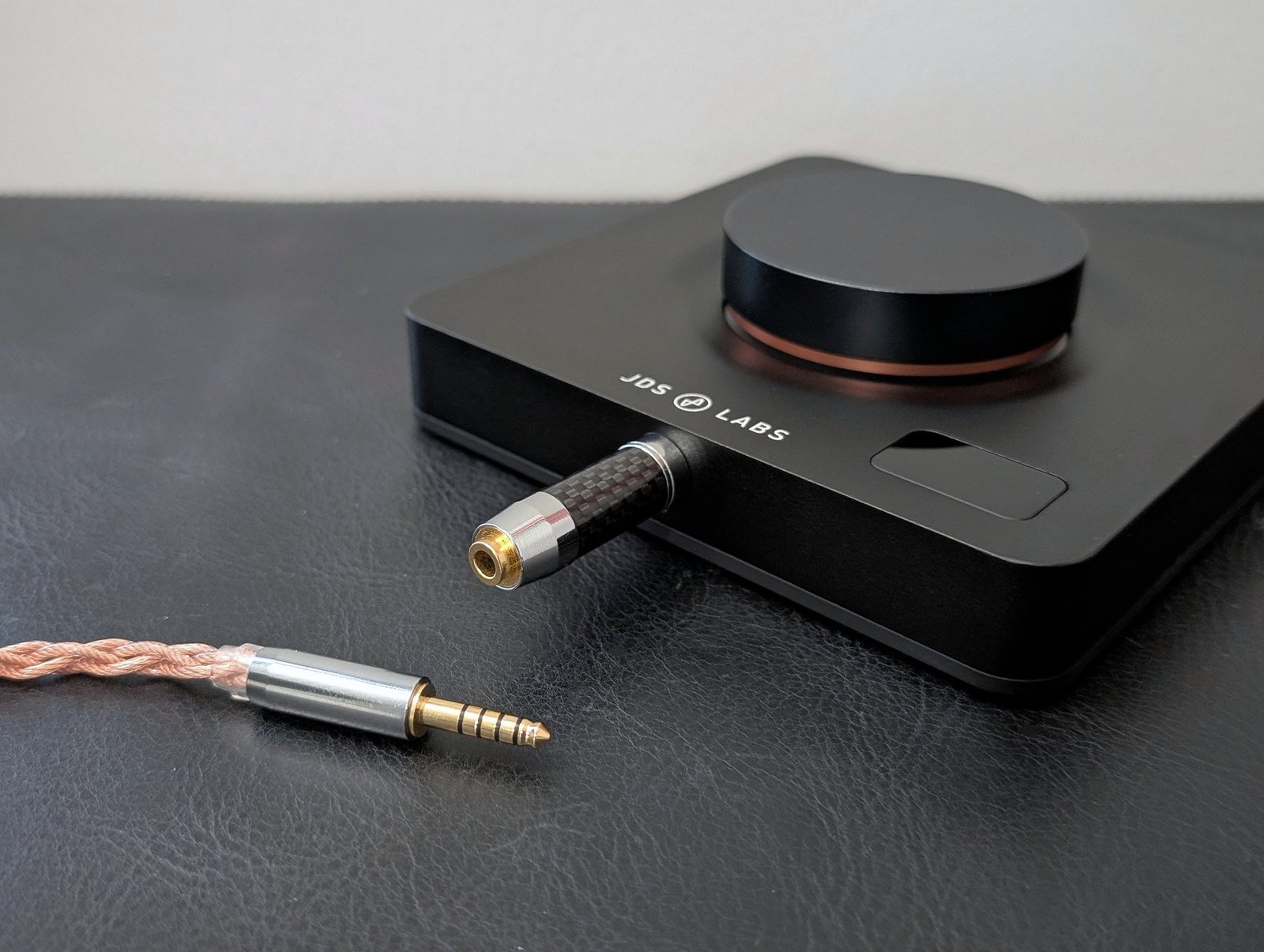
Some might be bothered by the scarcity of connections, but in my opinion, Element IV is primarily designed as a combo device for headphone listening, in which case the RCA outputs are quite sufficient. As for input, it's advisable to use the USB connection due to the additional features it enables. Another headphone connector would certainly be a nice addition, but when ordering the device directly from the manufacturer, it would be possible to change the 6.35 millimeter connector to a 4.4 millimeter connector. This does not make the device balanced, but in some cases, it can reduce the need to purchase new headphone cables.
Innards
Element IV's D/A converter is ESS Sabre's relatively new ES9039Q2M chip. Interestingly, the manufacturer has not extracted the highest PCM or DSD sampling rates from it, but apparently, there would be no audio quality benefit from them. Thus, the device won't win the spec race, but it is better suited for those who value common sense.
Using Element IV's built-in equalizer somewhat affects the available sampling rate, as with two filters, maximum signal quality can still be achieved, whereas above that, it is limited to a maximum PCM level of 192 kHz / 24 bit – which is not a problem either.
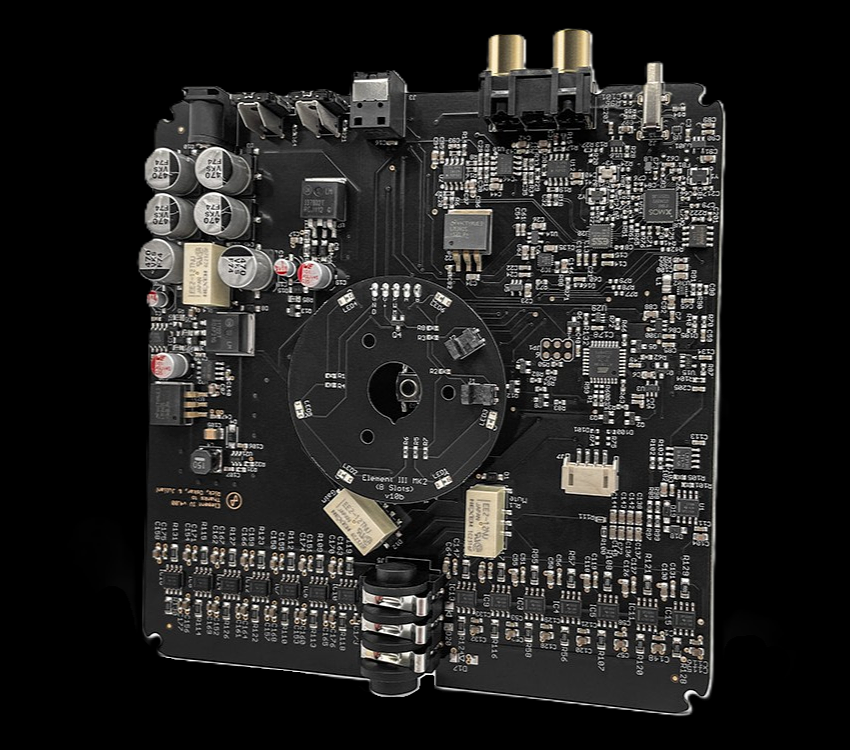
For such a compact device, Element IV's headphone amplifier is quite powerful in terms of output, or at least it easily suffices for all common headphone models. Previous Element series devices have not been as powerful. The only remaining question marks are mainly the market's most exotic planars, if they are simultaneously insensitive and have a relatively high impedance. Generally, the promised 3.2 watts for a 32-ohm load is what most will benefit from. Even for a 150-ohm load, 0.7 watts are delivered, and for the rarer 600-ohm load, 0.17 watts, although at this point, a voltage of over 10 volts becomes a more important factor. The headphone jack's output impedance is less than 1 ohm, so Element IV tightly controls the headphone drivers without affecting the frequency response through this either.
Amplification is implemented with operational amplifiers, as many probably guessed. There are plenty of Chinese amplifiers with similar operating principles on the market, so Element IV, in a way, offers a Western alternative to them. It may not win the output power competition, but the measurement results for both the DAC and the headphone amplifier reach top levels. JDS Labs also specifically mentions having invested in the device's protections, which has not always been a given with Chinese devices. Element IV produces no background noise, popping, or clicking, even with sensitive in-ear headphones.
Core-web-interface
Although Element IV is designed to be a simple device, unlike previous Element series devices, it can also be extremely versatile at the software level. The model has been taken from Qudelix 5K:, as a separate application has been developed for mobile devices (Android and iOS) for both, while in Windows, macOS, and Linux environments, the device can be easily accessed via a web interface utilizing the WebUSB standard. For Qudelix 5K, an add-on must be installed in Chrome or Edge browser, whereas for Element IV, merely visiting a website with the same browsers is sufficient: JDS Labs Core™ (also accessible without the device). No software installation or separate drivers are needed, as the web interface directly controls the XMOS-USB chip, which ”runs” various features. The system now works flawlessly and surpasses the ease of use of other companies' more old-fashioned separate software.
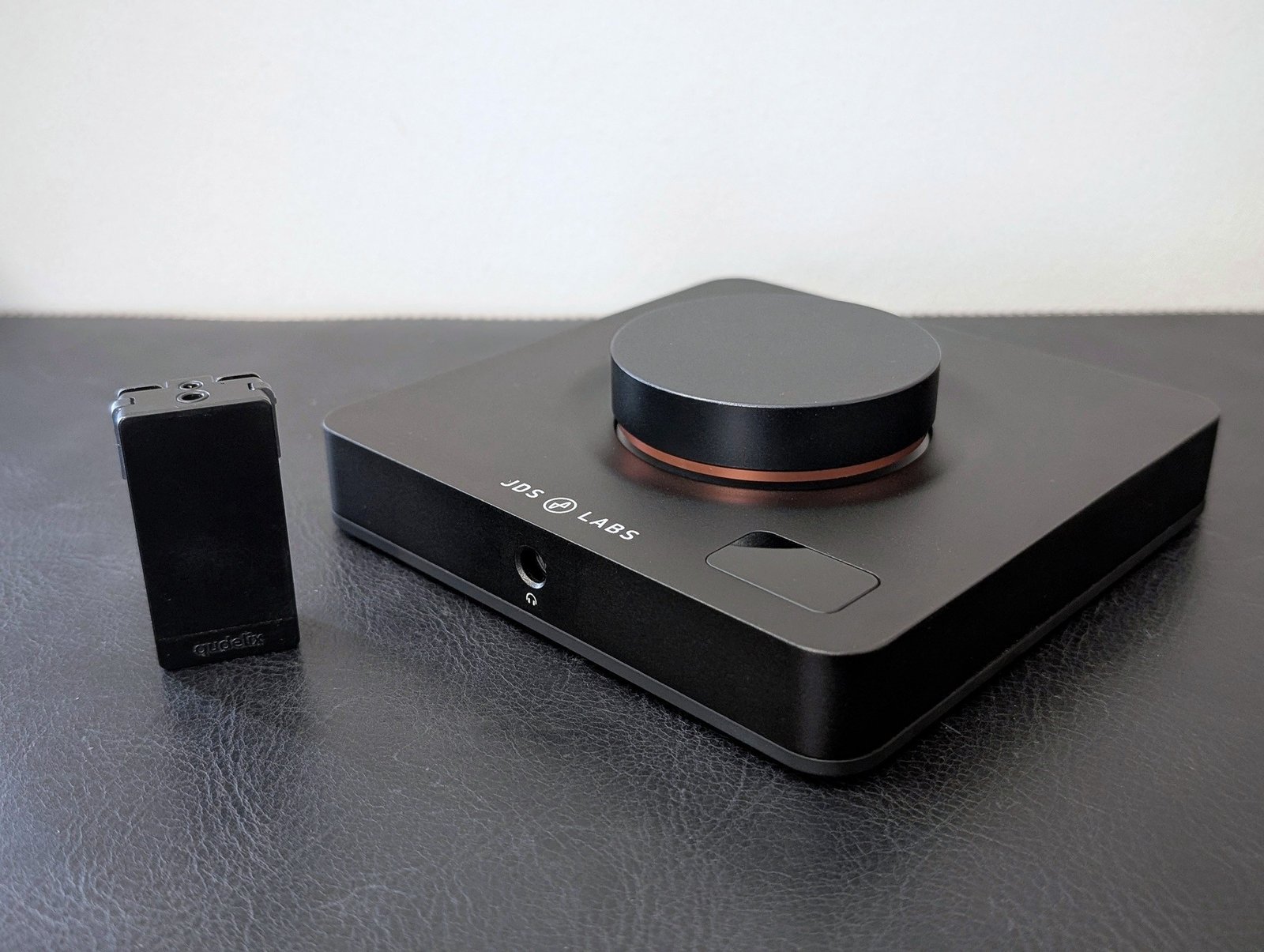
Luxsin X9 and Qudelix 5K are still slightly more versatile in terms of features, but JDS Labs is constantly catching up by adding new useful things to Element IV. By all accounts, the manufacturer also listens to wishes, to which the application team reacts surprisingly quickly. Currently, the following adjustment options and features are available.
Equalizer and EQ database:
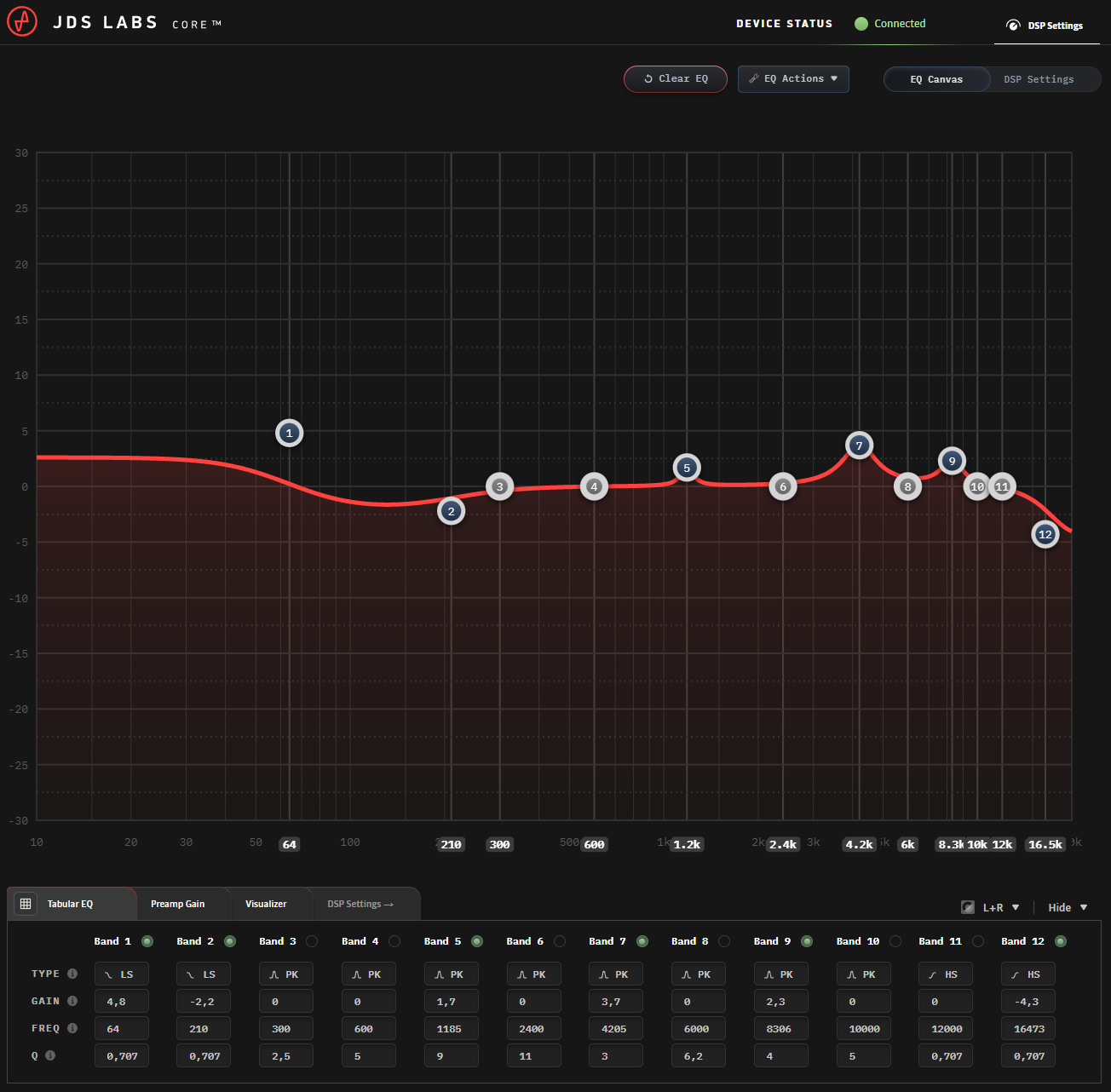
Element IV includes an excellent parametric equalizer, with which ten EQ profiles can be saved to the device's memory (changeable directly from the device's settings menu) or an endless number more by creating a user account, although the latter can only be activated via the web interface.
The automatically adapting pre-gain level makes equalization easy, and if necessary, the left and right elements can be corrected separately. Support is provided by a comprehensive EQ database, which includes both headphone-specific equalizations created by other Element IV owners and the Auto EQ database familiar from many other devices (in this case, OPRA by Roon). Thus, a lot of my own frequency response measurements are also included as basic information – you're welcome. All in all, the device's database contains over 8000 ready-made EQ profiles, which the user may, however, in most cases need to fine-tune a little more to adapt the sound to their own hearing and preferences.
Other audio settings:
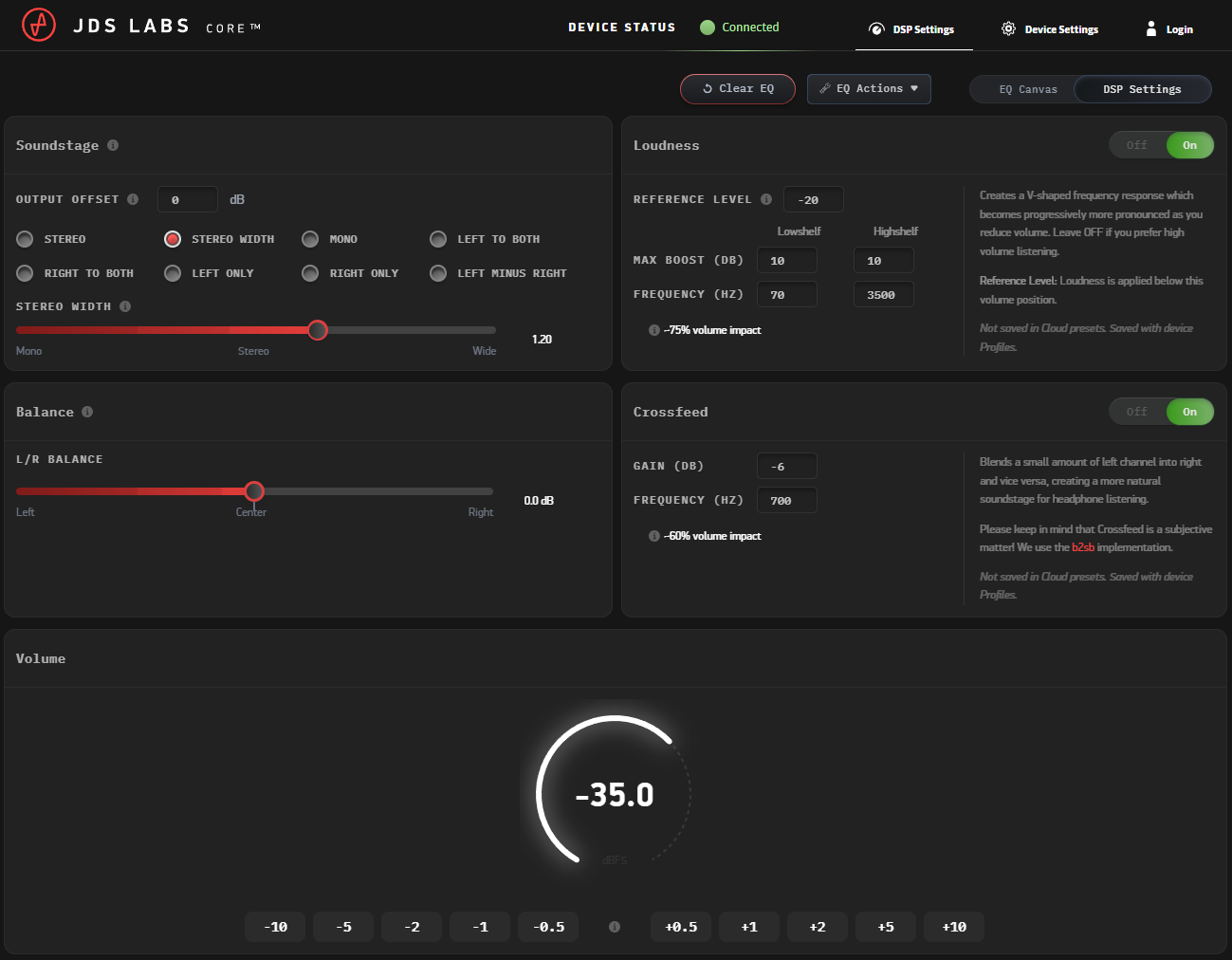
After its release, other DSP settings aimed at headphone listening were added to the device, of which the adjustable Loudness mode and Crossfeed are certainly familiar to many of us. The former boosts bass and treble when the volume is low. Crossfeed, in turn, mixes the right and left channels slightly to produce a more natural soundstage when listening to music primarily produced for speakers. The soundstage can be moved slightly forward, and sounds mixed only to the right or left side no longer bother as much as usual. Element IV's Crossfeed implementation is based on open source b2sb-method, which I believe many other manufacturers also utilize.
Like the Luxsin X9, JDS Labs' device also allows adjusting the width of the stereo image, which I definitely recommend trying. When added moderately, I have not observed any actual drawbacks in this feature; instead, the soundstage literally expands sideways more outside the head. Since the result closely resembles the Luxsin device, it is likely the same operating logic, where similarities and differences in the audio signal between the right and left channels are monitored. Frequencies common to both channels and occurring simultaneously are preserved, while differing frequencies are amplified, making them appear to be heard increasingly on the left or right.
The equalizer and the three features I presented above allow for further improvement of good headphones, but similarly, a not-so-favorite pair of headphones could become a personal favorite product. Enthusiasts who are open to such digital adjustments are now practically no longer limited by anything. Element IV lacks some of Luxsin X9's audio adjustments, but I don't mind that, for example, various ready-made toning options have been omitted. Luxsin X8, on the other hand, equalizes headphones for the first time with AI assistance, so it remains to be seen if the market will move in that direction in the future. At least for now, Element IV still feels pleasantly straightforward and easy to use. For comparison, the Qudelix 5K is already starting to cause a bit of overwhelm due to its excessive versatility.
DAC settings and other general settings:
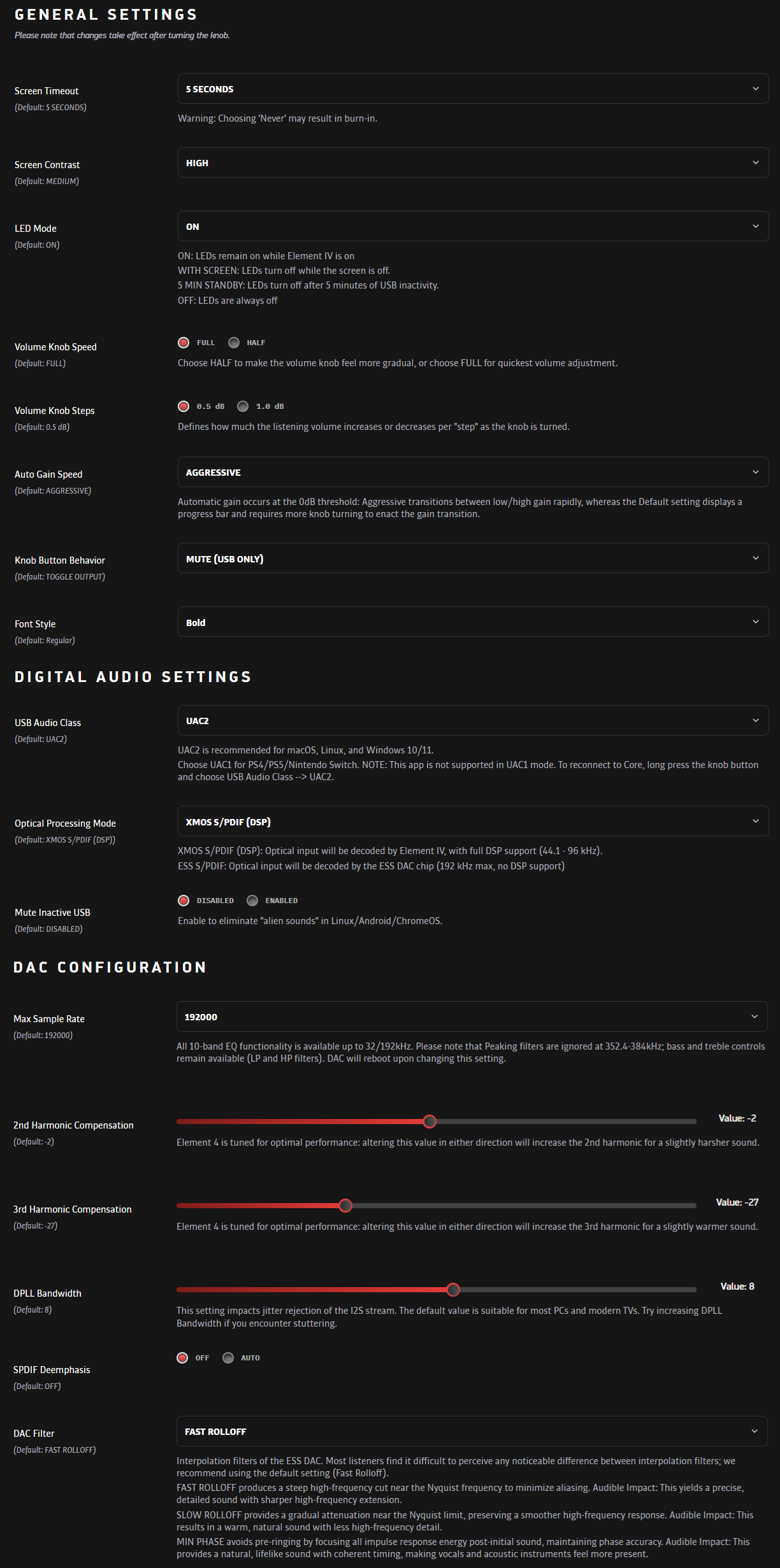
From the Core user interface, you will naturally also find many general settings, which are easier to change this way than from the device's small screen. It should be specifically mentioned that Element IV also works with game consoles, as it can be set to UAC1-USB mode. The DAC filter is also changeable, if someone notices a difference in sound quality between them. The most peculiar settings are the DAC chip's distortion compensations, which, by changing them, should increase the amount of distortion and lead to either a slightly rougher or warmer sound. I didn't immediately notice a significant difference, so I have left these controls at their optimal default settings.
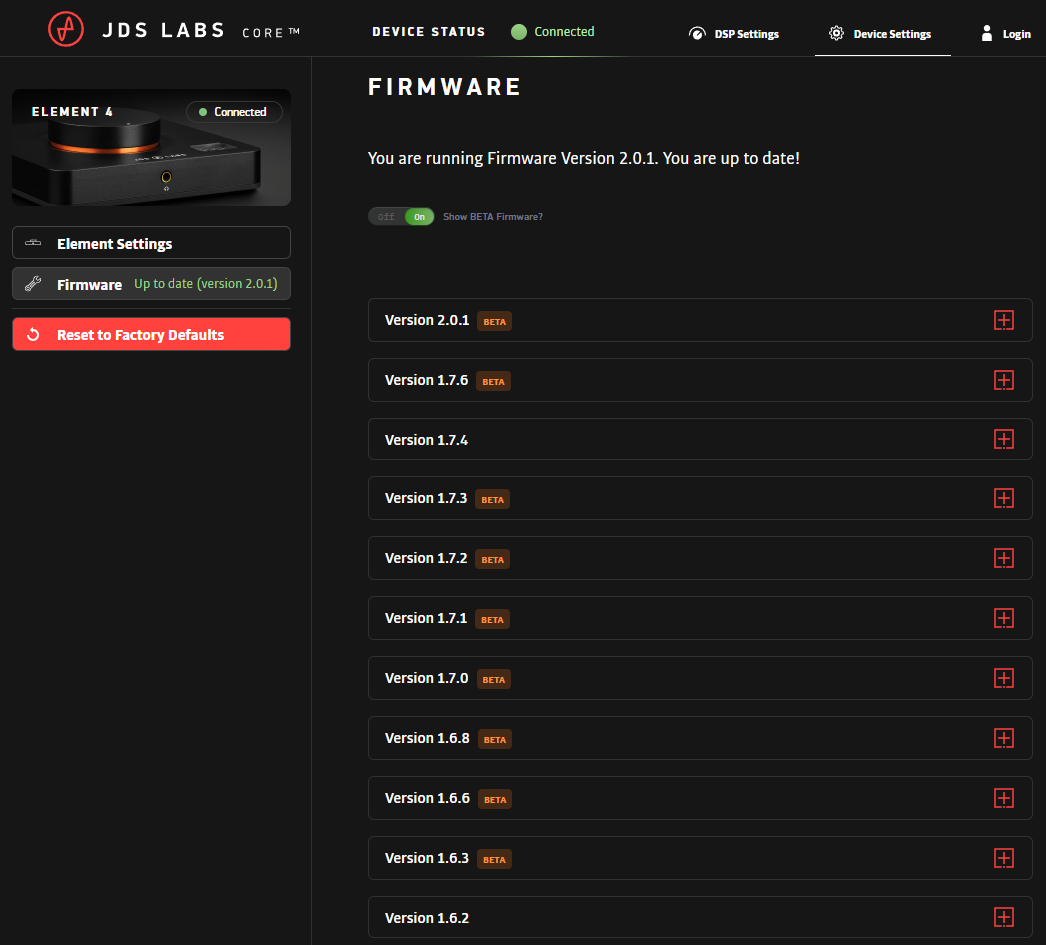
The web interface is handy because you never have to update it yourself; the latest version is always directly available. Occasionally, the device itself does need to be updated to support all the latest features. JDS Labs has indeed released firmware updates at a steady pace, and these are also conveniently handled from the same interface. Beta versions are often offered to those eager to experiment, providing the quickest access to new features.
Observations on sound quality
Headphones used for evaluation: Austrian Audio The Arranger, HEDDphone D1, Focal Hadenys, ZMF Atrium, Sennheiser HD 600, Hifiman HE-6, Dan Clark Audio E3 and 7Hz x Crinacle Zero 2
JDS Labs does not describe the sound quality of its device other than stating that the amplification is clean and completely distortion-free. I also have to state that the Element IV is practically completely colorless and unnoticeable, regardless of what kind of headphones I listen to with it. Even Hifiman's somewhat difficult HE-6 sounds quite good and dynamic, at least at the volume level I personally need. In the Tidal service, I even stay on the lower gain level, which I would not have expected.
The Element IV sounds extremely natural, as I don't perceive it softening or sharpening the sound in any way. What ”frightens” me about neutral devices is mainly potential lifelessness or clinicality, but there are no signs of these characteristics with the Element IV. For example, there is no excessive hiss or harshness in the treble, for which some ESS Sabre-based DACs have been criticized. Nothing exceptional happens in the soundstage either; instead, it scales with the music being listened to and the headphones placed on the ears. The device also reproduces bass in a controlled manner, without me noticing it becoming heavier or lighter than my expectations. Even more challenging planar headphones, such as the HE-6 and DCA E3, deliver a good punch.
The background of the playback is pleasantly dark in most cases, although the device has been found to benefit from a separate galvanic isolator if it is connected, for example, to the motherboard of a noisy gaming PC. JDS Labs itself sells an isolator called Synapse for this purpose for 80 euros, but I bought a similar Douk Audio isolator (U8 Pro USB 2.0 Isolator 480 Mbps) for just over 20 euros for experimental purposes. I noticed a small improvement, or even a slightly larger one, after testing the most suboptimal conditions, i.e., the USB connector on the front edge of the computer case, which picks up all possible hums and electronic interferences. These made the Element IV quite hazy, but the galvanic isolator darkened the background back to normal. However, I don't notice such a big difference through the motherboard's fixed USB connectors, so the Element IV can be used with peace of mind even without a separate isolator.
Overall, the sound produced by the device feels very neutral and largely takes a backseat to the specific characteristics of the headphones. A complementary device & headphone combination can offer an even slightly more impressive listening experience, but the Element IV's natural presentation is fundamentally suitable for any headphones, and the equalizer and other DSP settings take care of the rest. All the headphones I mentioned at the beginning of this section sounded good even with default settings. In the Luxman X9, known for similar sound adjustments, I perceived a slight harshness in the treble through the balanced headphone outputs, so compared to that, the Element IV sounds a bit more pleasant to me in its default state.
I did not test the device as a standalone DAC in this context, because in my opinion, its usability benefits are best realized as a combined unit, and the amplifier section showed no signs of faltering in any situation. On the other hand, someone could very well use the device as an equalizer and a desktop volume control with another amplifier, but even then, the versatile sound adjustments would compensate for any potential DAC weaknesses.
Summary
The JDS Labs Element IV proved to be quite overwhelmingly the best headphone amplifier I have tried in terms of usability, because every detail, with the exception of the power button located at the back, has been perfected. Turning the large horizontally mounted volume control simply feels pleasant, and there's really nothing else to worry about during use.
If, however, you want to fine-tune your headphones, JDS Labs has developed an excellent software and web interface for that purpose. Both the parametric equalizer and other sound settings work flawlessly. Since the Element IV also sounds and looks good, and its output power doesn't run out, it would be almost impossible not to recommend the device, except for its price or limited connections. The specs or the components used by JDS Labs may not be exotic in any way, but the overall smooth user experience, in my opinion, compensates for the small extra price the consumer pays for the Element IV being manufactured in the USA, and not, for example, in China.
Among competitors, Luxman offers slightly more versatile devices, especially in terms of connections, while a European counterpart, in my view, would be the RME ADI-2, which I haven't yet had the chance to test. For mobile use, the right solution from the perspective of similar features would be, for example, the Qudelix 5K. I personally find myself more enthusiastic about such versatile devices than traditional DAC & headphone amplifier combinations, which usually don't stand out from each other in any way. I don't necessarily always use or need the Element IV's extra features, but I'm glad they are easily accessible to me. The device also feels primarily easy when my main goal is to get good sound out of my headphones at just the right volume. Starting many other devices has started to feel more cumbersome than before, especially since I can't place them as neatly on my desk within reach. So, keep the Element IV in mind if such a device starts to interest you.
Pros and cons:
+ Natural and clean sound
+ Excellent equalizer
+ Otherwise versatile and easy-to-use software
+ Possibly the best volume control on the market
+ Sufficient output power for most headphones
+ Stylish appearance
+ Does not take up much space on the table
– Power button is located at the back of the device
– Limited connections
– Collects oil stains from touching
– No remote control
– Price is not on the cheapest side, if someone only looks at the specs
 EN
EN  FI
FI